Guides6 min read
How to install FiveM scripts on QBCore, Qbox and ESX
This guide goes from the readme to the first start of a FiveM resource on QBCore, Qbox or ESX, with the console messages that say what went wrong and where each one is quoted from.
Frida JoyPublisher at 5CODE
- Published
- Last updated
On this page9
The short version
Here is how to install FiveM scripts on QBCore, Qbox or ESX. The steps are the same on all three; the framework changes details, such as where items are defined.
- Read the readme and start what the script depends on.
- Get the files: the release on GitHub, or Granted Assets in the Cfx.re Portal for an escrowed script.
- Put the folder in your resources folder, with
fxmanifest.luadirectly inside it. - Import its SQL and register its items, if it has any, then edit
config.lua. - Add an ensure line for it to server.cfg, below its dependencies.
- Start it, read the console from the top, then restart the server once.
This guide on how to install FiveM scripts covers server resources, the folders FXServer loads. Single-player mods and game client errors are a different topic.
What to have running before you install a FiveM script
Read the script's readme or requirements page before you copy anything. It names what has to run before the script starts:
- The framework it was written for. QBCore and ESX scripts are not interchangeable. Most QBCore scripts run on Qbox through its bridge layer: the Qbox FAQ (opens in a new tab) answers "Yes (in most cases)", and lists exceptions such as direct access to database tables.
- oxmysql, or the database resource the readme names, for scripts that keep data in a database.
- Other resources the readme names, such as ox_lib or a target script.
- OneSync, when the readme, the manifest or your framework asks for it. On a server run by txAdmin, turn it on in txAdmin's settings page: txAdmin comments out a
set onesyncline in server.cfg. - A server build. Cfx.re's escrow announcement (opens in a new tab) asks for build 5181 or above for protected resources, and one script can ask for more: 5CODE Recognition lists FXServer build 7290 or newer.
Getting the files: free and escrowed scripts
For free resources on GitHub, download a release rather than the raw source, unless you build it yourself; Overextended's pages say "Download a release or build the source code." A GitHub zip often unpacks as name-main or name-master: rename the folder to the resource name.
Paid resources protected by Cfx.re asset escrow (opens in a new tab) belong to a Cfx.re account. The buyer gets "an email with a download link", and the asset stays under Granted Assets in the Cfx.re Portal (older guides call it Keymaster).
- The server key has to come from the owning account. Cfx.re support: "Assets you download will only work on servers that you own."
- Transfers are limited. Cfx.re support allows one transfer, "within 28 days" of the purchase, and it cannot be reversed. On a staff team, agree on the server's account before anyone buys.
- Keep the hidden .fxap file. The escrow announcement warns that "Some FTP programs skip these files".
Cfx.re's warning about leaked copies (opens in a new tab): "Using pirated or leaked assets will put you at risk of a server and platform ban."
Folder, database, items and config
The resources folder
The FiveM docs (opens in a new tab) say: "Any folder in the resources/ folder is parsed as a resource, except folders between [brackets] which are categories". So a folder my-script inside resources/[scripts]/ is a resource called my-script.
- The folder name is the resource name, and the ensure line must match it exactly.
fxmanifest.luasits directly in that folder. A zip that unpacks intomy-script/my-script/leaves it one level too deep.- Keep a vendor's folder name when its docs ask for it: 5CODE Loadouts and Admin Panel expect
5code-loadoutsand5code-adminpanel.
SQL and items
If the readme says to import a .sql file, import it with HeidiSQL or phpMyAdmin before the first start. Some scripts create their own tables instead; the readme says which.
A script that hands out items expects them to exist already. ox_inventory defines items in data/items.lua, QBCore in shared/items.lua of qb-core, and ESX Legacy keeps an items table in the database.
Config and secrets
Edit config.lua and the locale. Where a script reads secrets such as webhook URLs from server.cfg, use set, never setr: FiveM's convar docs describe setr as replicated, synced to client scripts. Use setr only where a resource's docs ask for it, as ox_lib and ox_inventory do.
The ensure order in server.cfg
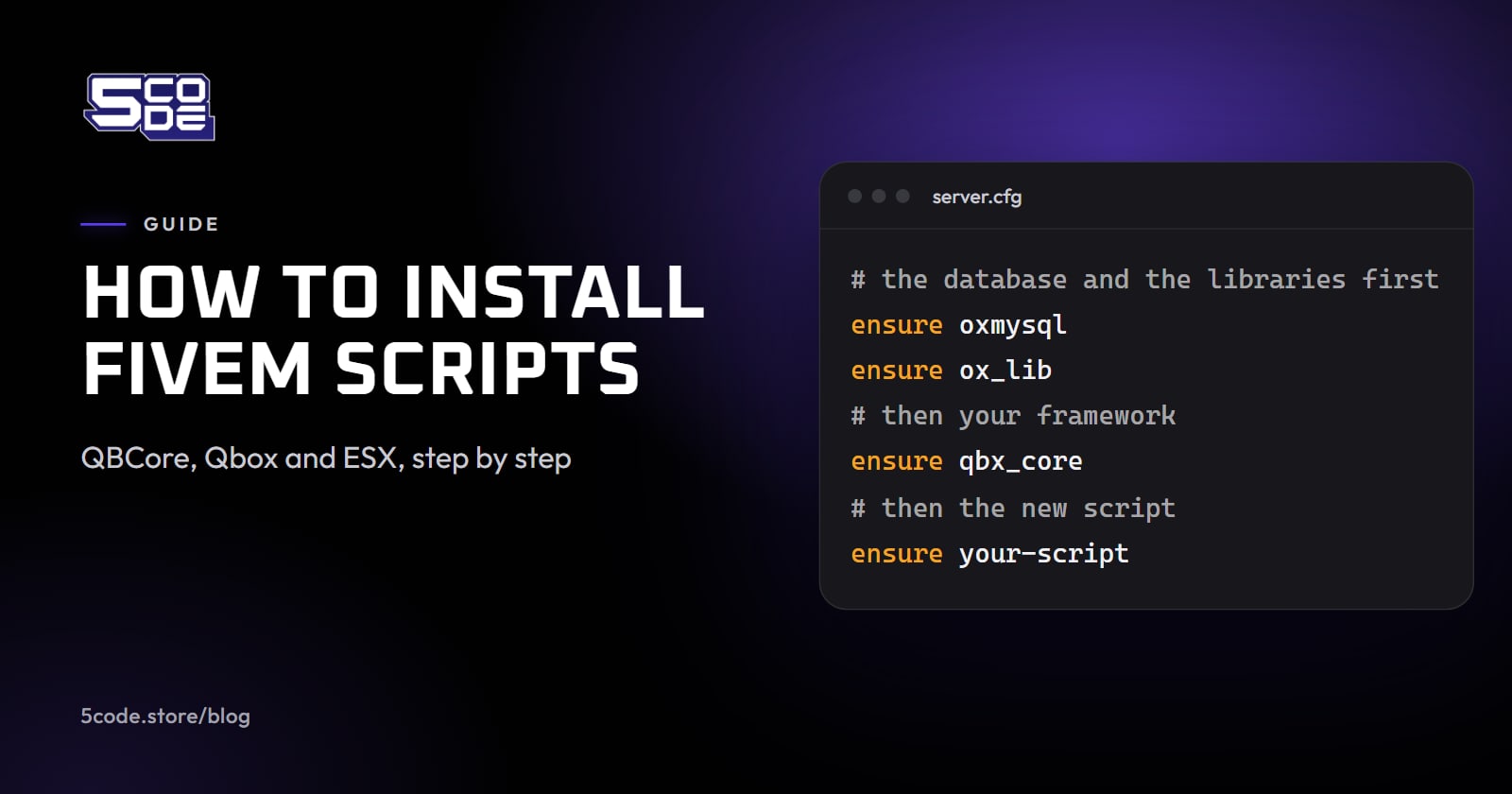
FiveM's server commands page (opens in a new tab) defines ensure: it "Restarts the resource specified in the argument, if it was started. If it wasn't, starts the resource specified in the argument." Lines run from the top down, so a script goes below everything it calls. This order follows Overextended's ox_inventory guide (opens in a new tab), which names ox_core, es_extended and qbx_core as frameworks:
ensure oxmysql
ensure ox_lib
ensure qbx_core           # es_extended on ESX, qb-core on QBCore
ensure ox_target          # your target script
ensure ox_inventory       # your inventory (qb-inventory on QBCore)
ensure my-script
The first start: refresh, ensure and the console
On a running server, use the server console or txAdmin's Live Console. refresh "Rescans the resources folder and loads all resource manifests in them", and ensure then starts the new one:
refresh
ensure my-script
Read the output from the top. A "Started resource" line is a good sign, though not proof: in one forum log, a resource failed with "No such export GetCoreObject in resource qb-core" and still printed "Started resource" a moment later. Fix the first error; the rest often follow from it. Client-side errors show in the game: press F8 to open the client console.
When it works, restart the whole server once to prove the order holds from a cold start. On a live server, add one resource at a time and keep a copy of the version you replace.
Common errors when a FiveM script is not starting
When a step goes wrong, look for its message here. Each is quoted from an official page, the oxmysql source or a Cfx.re forum thread.
| Message | Cause | Fix |
|---|---|---|
| Couldn't find resource [name]. | The ensure line and the folder name differ | Match the names, then refresh |
| Couldn't start resource [name]. | The line just above it names the reason | Fix that line first |
| [name] does not have a resource manifest (fxmanifest.lua) | The manifest sits one folder deeper | Move the inner folder up |
| Could not find dependency [dep] for resource [name]. | The dependency is missing or keeps a -master name | Install it or rename its folder |
| Could not find dependency /onesync for resource [name]. | OneSync is off | Turn OneSync on (with txAdmin, in its settings), then restart |
| No such export GetCoreObject in resource qb-core | The script starts before qb-core | Move its ensure line below the core |
| No such export GetCoreObject in resource qbx_core | Qbox has no core object | Use the qb-core export from the Qbox FAQ |
| Unable to establish a connection to the database (ECONNREFUSED)! | oxmysql cannot reach the database | Check the database and the connection string |
| Error parsing script @[name]/config.lua in resource [name] | A Lua syntax error, often in a config you edited | Fix the line it names, or compare with the original file |
| Error parsing script / Failed to load script, on an escrowed resource | The server build is likely too old | Update to build 5181, or to what the script asks |
| You lack the required entitlement to use [asset name] | The key is wrong or belongs to another Cfx.re account | Restart and check the key; use the owning account's key or transfer the asset |
| Failed to verify protected resource | Files were damaged or skipped in transfer, such as the hidden .fxap file | Upload the whole folder again, hidden files included |
Where 5CODE scripts fit
Each 5CODE script has an Installation page in its docs. Loadouts supports QBCore, Qbox and ESX, Admin Panel QBCore, Qbox and ESX and Recognition QBCore, Qbox, ESX Legacy and Standalone.
Admin Panel's installation page goes from the Granted Assets download to the first test, with the console lines to expect, and asks for one full restart. The Loadouts installation steps end at the armory NPC: interact and confirm the armory menu opens.


Loadouts does not create item definitions, so every item in a kit must already exist in your inventory. Each Installation page also has an Install with AI prompt that tells an assistant to stay inside the resource's folder and to ask before it changes anything else, server.cfg included.
Where to go next
Before the next install, put the script's requirements beside what your server already runs; how to choose FiveM scripts lists what to check before you pay. For Recognition, Recognition requirements and supported frameworks lists the four things a server needs. For a police department, FiveM police scripts shows how the parts fit together, and setting up police loadouts per unit picks up after the ensure line.