Guides6 min read
FiveM admin menu: txAdmin and what a staff panel adds
txAdmin comes with FXServer and covers much of the moderation itself. This guide lists what its admin menu does and which staff jobs it leaves to the server, from player reports to staff ranks.
Patrick MiddlemanPublisher at 5CODE
- Published
- Last updated
On this page8
The short version
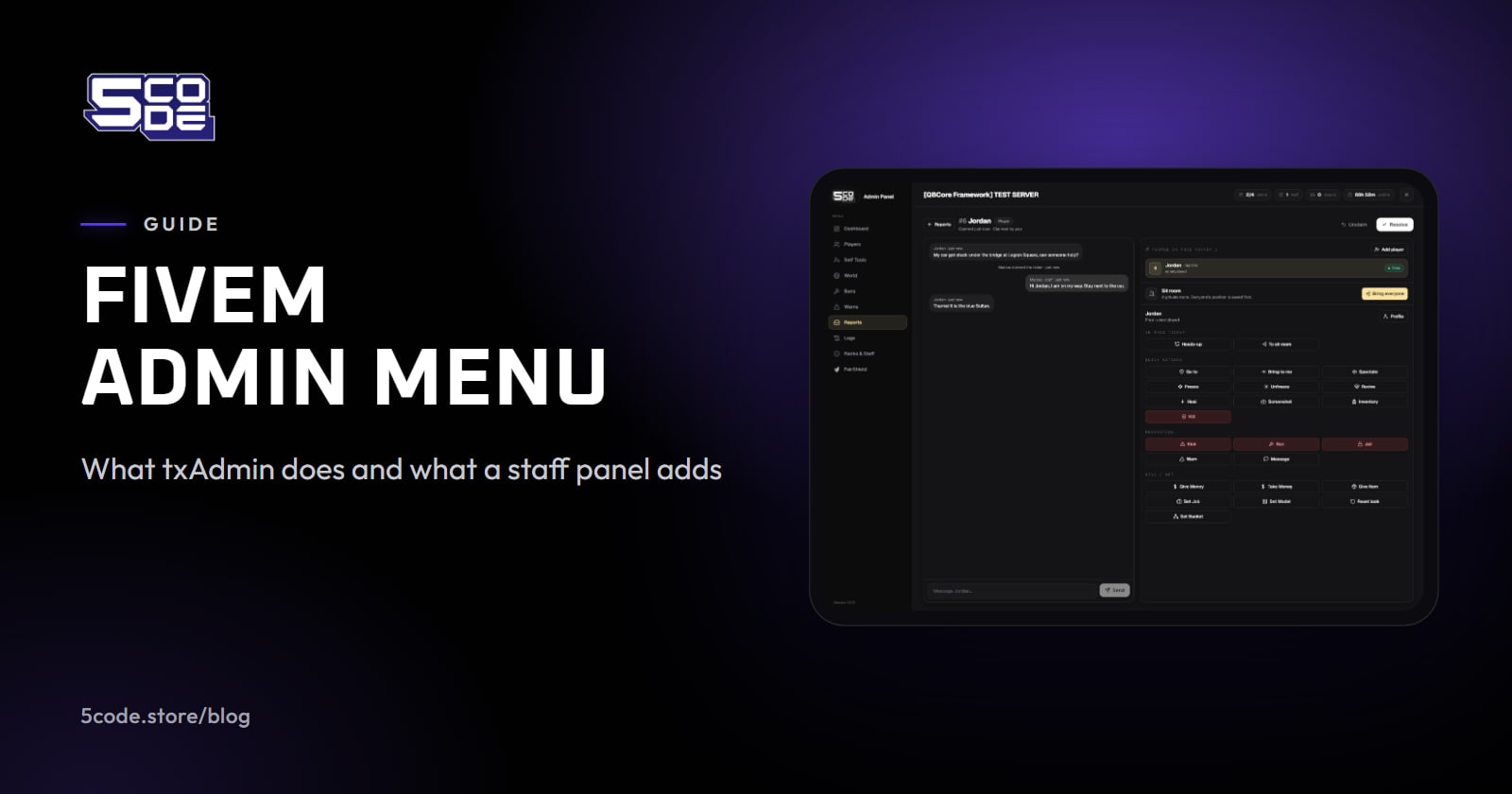
txAdmin, the official panel that comes preinstalled with FXServer, already gives your server a FiveM admin menu: an in-game menu and a web panel with bans, warns, player notes, an action log and scheduled restarts. What its feature list does not name is the support work around a complaint, such as a ticket the player writes in and a sit where staff talk the case through. Servers that want those add a resource for them, such as a staff panel.
What txAdmin already does
txAdmin (opens in a new tab) needs no download. The Cfx documentation says it "already comes preinstalled with FXServer", and it starts when you run FXServer without any +exec argument. What its docs list, grouped the way staff use it:
- In-game menu: noclip, god mode, teleport, vehicles, heal and announcements, and on a player: go to, bring, spectate, freeze, ban, warn and direct message.
- Player manager: warnings, bans for a set time or for good, a whitelist, notes about players, and their play time.
- Monitoring: a live console, an automatic restart after a crash or hang, scheduled restarts with warnings, and a server activity log of joins, leaves, kills, chat and explosions.
- Access control: admin accounts with their own permissions, and a log of admin actions.
On framework servers, the txAdmin menu docs (opens in a new tab) explain that Heal cannot reset the "dead" state that QBCore, ESX and other frameworks keep themselves. txAdmin sends an event instead, for a developer to handle.
Opening the txAdmin menu in game
Type /tx or /txadmin, or set a key in the game's FiveM key bindings under "(txAdmin) Menu: Open Main Page". Only admins registered in txAdmin get in, and their txAdmin account needs their Discord or Cfx.re identifier linked to it.
If /tx shows a red error although you are registered in txAdmin, type /txAdmin-reauth to retry the sign-in. When /tx does nothing at all, the menu is probably switched off in the txAdmin settings, and switching it back on needs a server restart.
How FiveM admin permissions work
A server can hold several staff lists, each deciding something different:
- txAdmin admins. Accounts in the txAdmin Admin Manager, each with its own permissions (opens in a new tab), such as warn, kick, ban, spectate, the console or restarting the server. The master admin, or an admin allowed to manage admins, edits them. txAdmin saves them in its own file,
txData/admins.json, apart from the ACE lines in server.cfg, so an ACE group alone does not open the txAdmin menu. - ACE permissions. FXServer's own access control list, written in server.cfg. It decides who may use a restricted command.
- Framework groups. QBCore, for example, sets up its god, admin and mod levels in server.cfg with
add_aceandadd_principal, as its permissions guide (opens in a new tab) shows. Each framework also has an admin menu resource of its own: qb-adminmenu, qbx_adminmenu and esx_adminmenu. - A staff panel's own ranks, if you add one.
ACE in short, from the Cfx server commands reference (opens in a new tab): add_ace allows or denies a principal, which is a group or a player identifier, access to an object such as a command. add_principal makes one principal inherit from another, which is how a player joins a group. test_ace checks the result.
# group.admin may use this command
add_ace group.admin command.yourcommand allow
# this player belongs to group.admin
add_principal identifier.license:YOUR_LICENSE_HERE group.admin
When a staff member leaves, go through every list on the same day: their txAdmin account, their add_principal lines and, if you run one, their staff panel rank.
What servers add on top of the FiveM admin menu
Published server rules show how players reach staff on some servers. On one server (opens in a new tab), players report a rule break with /report or /calladmin in game, or by creating a ticket.
txAdmin's feature list names no player report or ticket system and no sits. So servers add a resource for some of these jobs:
- Reports or tickets: a command that opens a case staff can claim and answer.
- Sits: staff bring the people of a case into one place to talk, then send everybody back.
- Ranks with an order: a moderator cannot act on an admin.
- Staff activity: who took how many cases, and how fast.
A ticket can also keep the conversation that led to a decision, which helps when a player appeals. For how staff weigh a case, see how to handle a metagaming report.
txAdmin and a staff panel, job by job
In both columns, "not in its feature list" means the tool's own feature list does not name the job. The txAdmin column comes from its docs, the 5CODE column from the Admin Panel's product page and docs.
| Job | txAdmin | 5CODE Admin Panel |
|---|---|---|
| Player asks for help | Not in its feature list | /report opens a ticket with a chat |
| Claim or take over a case | Not in its feature list | Claim; taking over needs a higher rank |
| Sit | Not in its feature list | Private room, then back to the exact spot |
| Warn and ban | Yes, for a set time or for good | Yes, for a set time or for good |
| Player notes | Notes about players | Notes and alerts, offline too |
| Who may do what | Permissions per admin account | Ranks with a power number, set in game |
| Act on an equal or higher rank | Not in its feature list | Never |
| Action log | Admin log and server activity log | Every staff action, searchable, Discord optional |
| Staff statistics over time | Not in its feature list | Dashboard over 30, 60 or 90 days |
| Restarts, console, whitelist | Yes, with scheduled restarts | Not in its feature list |
Is txAdmin enough on its own?
txAdmin can be enough as a FiveM admin menu on its own. If players reach staff through Discord and a few trusted admins share the work, its menu, bans, warns and notes cover the moderation itself. A staff panel earns its place when reports should stay inside the game with a sit to follow, or when the team has grown to the point where ranks must not act on each other.
Where 5CODE Admin Panel fits
5CODE Admin Panel is a staff panel for QBCore, Qbox and ESX, at €30, one-time. /admin opens the full panel and /adminmenu a quick menu.
Ranks are made in game: create a rank, give it a power number and tick what it may do. Staff never act on an equal or higher rank, and nobody can lift themselves or a friend above their own rank. The server owner becomes super-admin through an ACE in server.cfg. The install docs give it to group.admin, and everybody in that group gets full access, so give it only to owners. The rest of the staff get ranks inside the panel.


What to know before you add it:
- Requirements: QBCore, Qbox or ESX,
oxmysqlwith a MySQL or MariaDB database, and OneSync. There is no standalone mode. How to install FiveM scripts covers the start order. - Command names: qb-adminmenu and qbx_adminmenu also use
/adminand/report, and ESX's esx_adminmenu also uses/adminand/adminmenu. Stop the old menu or rename the panel's commands; the Admin Panel FAQ covers keeping another admin menu. - Offline players: ban, warn, release from the admin jail and notes work on a player who is not on the server; live actions need them connected.
- Logs: log lines are kept 90 days by default, while bans, warns and tickets are never deleted. A ban or a kick from another tool is not in the panel's dashboard numbers.
- Language: the panel pages, the quick menu and the player's ticket chat window are in English; the other notices and messages read in game can be translated.
The full list is on the Admin Panel's known limitations page.
Where to go next
Write down the staff jobs on your server and mark the ones txAdmin already covers. If what is left is the support side, the Admin Panel page shows a ticket with its chat and sit tools.